
NDIS quality management register templates in one Excel workbook
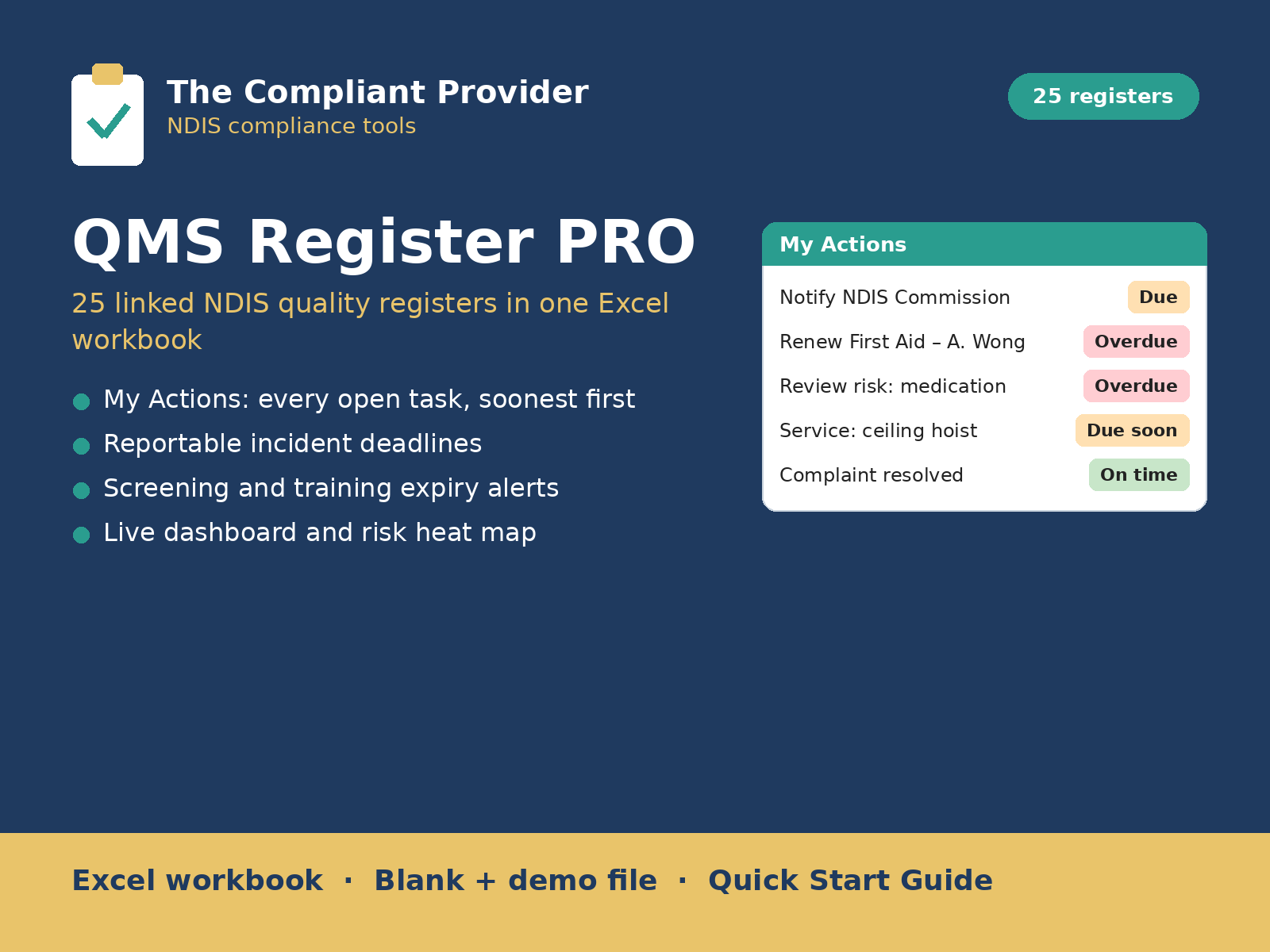
Stop keeping incidents in one file, complaints in another and training in someone’s inbox. QMS Register PRO links 25 registers, shows red and green alert tiles, and lists every open task by owner and due date.
Instant download · Microsoft Excel 2019 or Microsoft 365 · Blank workbook, demo workbook and Quick Start Guide · v1.1
What the workbook does
See it in action
These screens come from the demo workbook, filled with a fictional provider's registers.
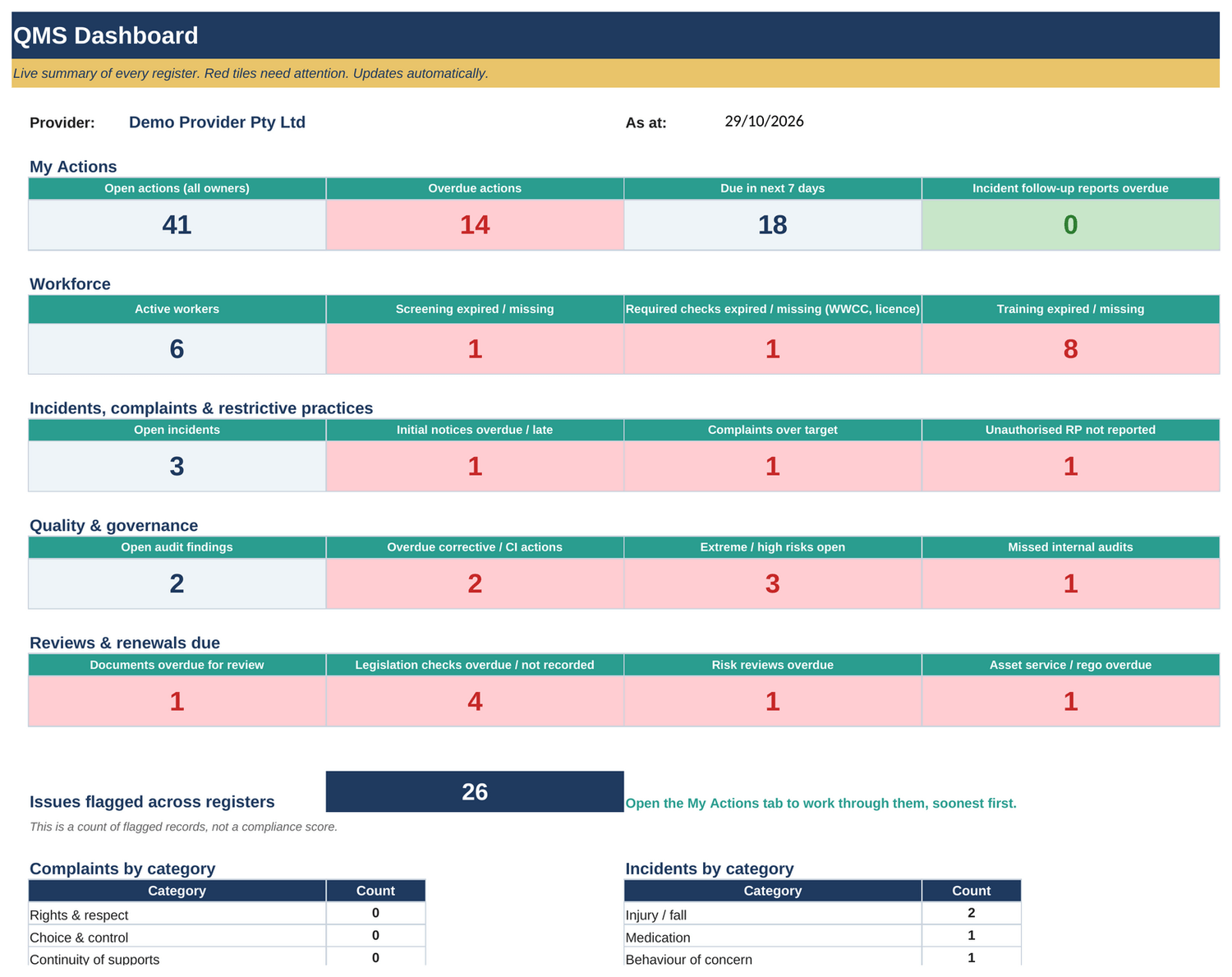
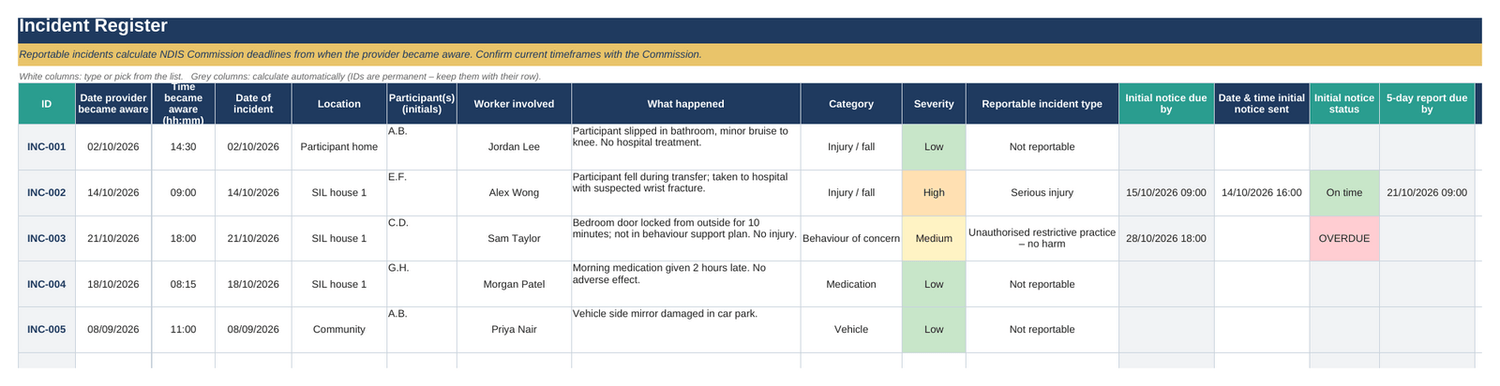
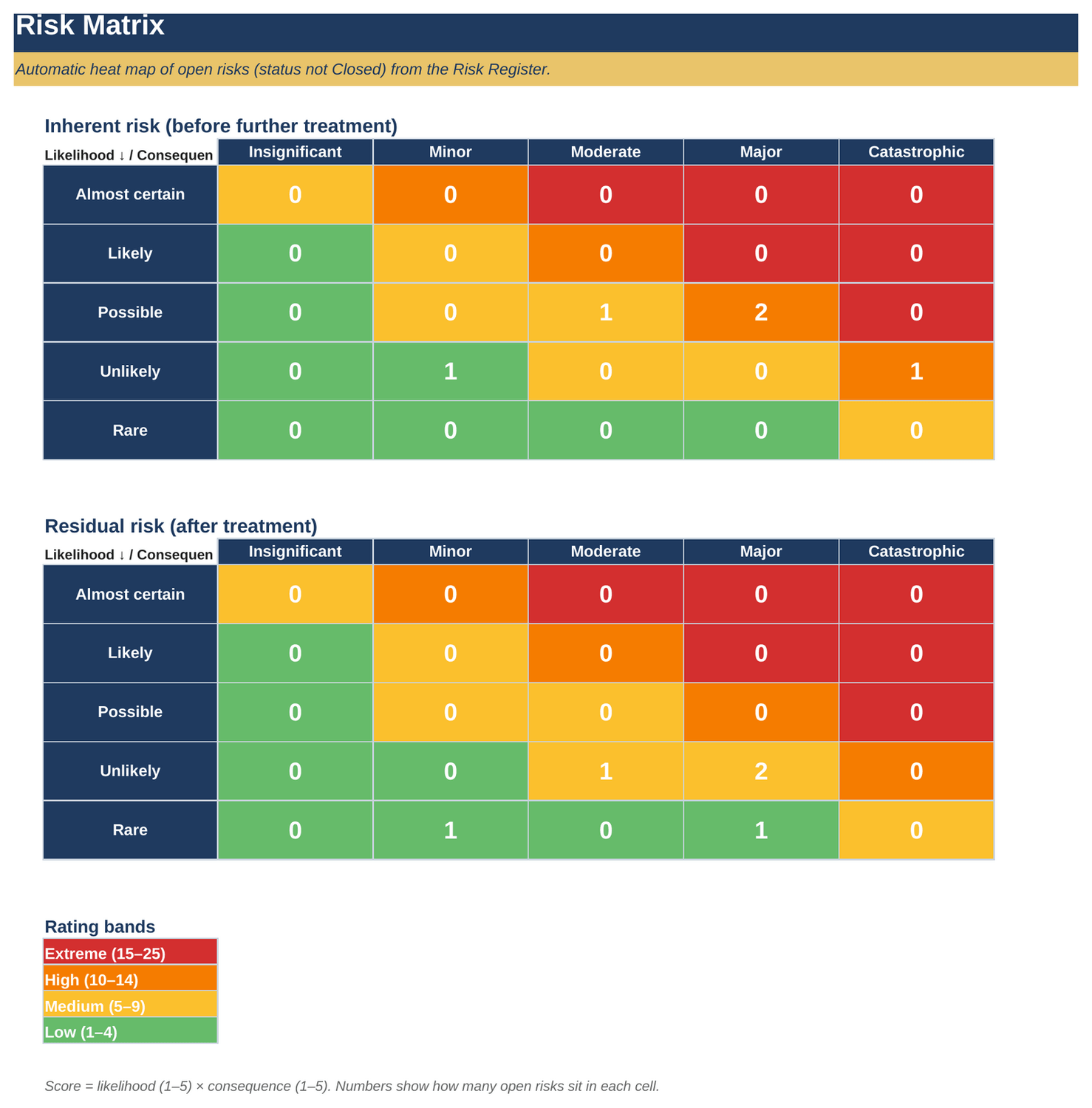
Screens from the demo workbook included in your download. All names and figures are fictional.
All 25 registers
Participant Register
Staff Register
Training Log
Training Matrix
Training Schedule
Risk-Assessed Roles
Conflict of Interest & Secondary Employment
Skills Analysis
Incident Register
Complaints & Feedback
Continuous Improvement
Restrictive Practices
Internal Audit Schedule
Audit Findings & Corrective Actions
Risk Register
Risk Matrix
Delegation of Authority
Document Control
Legislative Compliance
Asset & Equipment Register
Waste Management
Emergency Drill Log
Business Continuity Plan
Outbreak Management Plan
Insurance Register
Who it’s for
- Registered NDIS providers who need their quality records audit-ready
- SIL and disability support providers with 1–150 workers
- Quality and compliance coordinators juggling several spreadsheets
- Providers who want a QMS without an annual software subscription
What it isn’t
It’s a record-keeping tool, not compliance software or legal advice. Reportable incident timeframes are built in as a guide, so always confirm current requirements with the NDIS Commission.
Need the dates for one incident right now? Use our free NDIS reportable incident deadline calculator.
Checking yourself against the Practice Standards too? See the NDIS internal audit self-assessment tool.
Preparing for audit? Get the whole kit.
QMS Register PRO plus the Internal Audit Self-Assessment Tool and the Staff & Client Compliance Tracker: A$99, A$48 less than buying them separately.
From the blog
Written from our own audit preparation work with NDIS providers.
Common questions
What is included in the download?
A blank workbook for your own records, a demo workbook with fictional data so you can see every alert working, and a Quick Start Guide (PDF).
What software do I need?
Microsoft Excel 2019, 2021 or Microsoft 365 on a Windows computer. We have not tested it on Mac. Older Excel versions and other spreadsheet apps may not support every formula.
How many records does it hold?
150 workers, 1,000 training records, 500 incidents and 300 complaints, findings or improvements. My Actions lists up to 400 open actions.
Does it store my documents?
No. Keep evidence in your own storage, such as SharePoint, Google Drive or your care software, and paste the link into the workbook.
Is it a subscription?
No. You pay once and keep the file.
Will this guarantee I pass my NDIS audit?
No tool can. It keeps your quality records organised and shows what is overdue, so you can fix it before your auditor asks.
What if the file doesn’t work?
Email support@thecompliantprovider.com. If a file is faulty or not as described, we’ll fix it, replace it or refund you. We don’t give refunds for change of mind.