
Run every SIL home from one Excel workbook, and stay audit-ready
SIL House Tracker PRO shows every home on one screen, coloured by what needs you: shifts with no worker, overdue reviews, unpaid bills, items to buy. Open any home for its week, with the roster and mobiles, bin night, appointments, inventory and everything an auditor asks about under the SIL Practice Standards.
Instant download · Microsoft Excel 2019 or Microsoft 365 · Blank workbook, demo workbook and Quick Start Guide
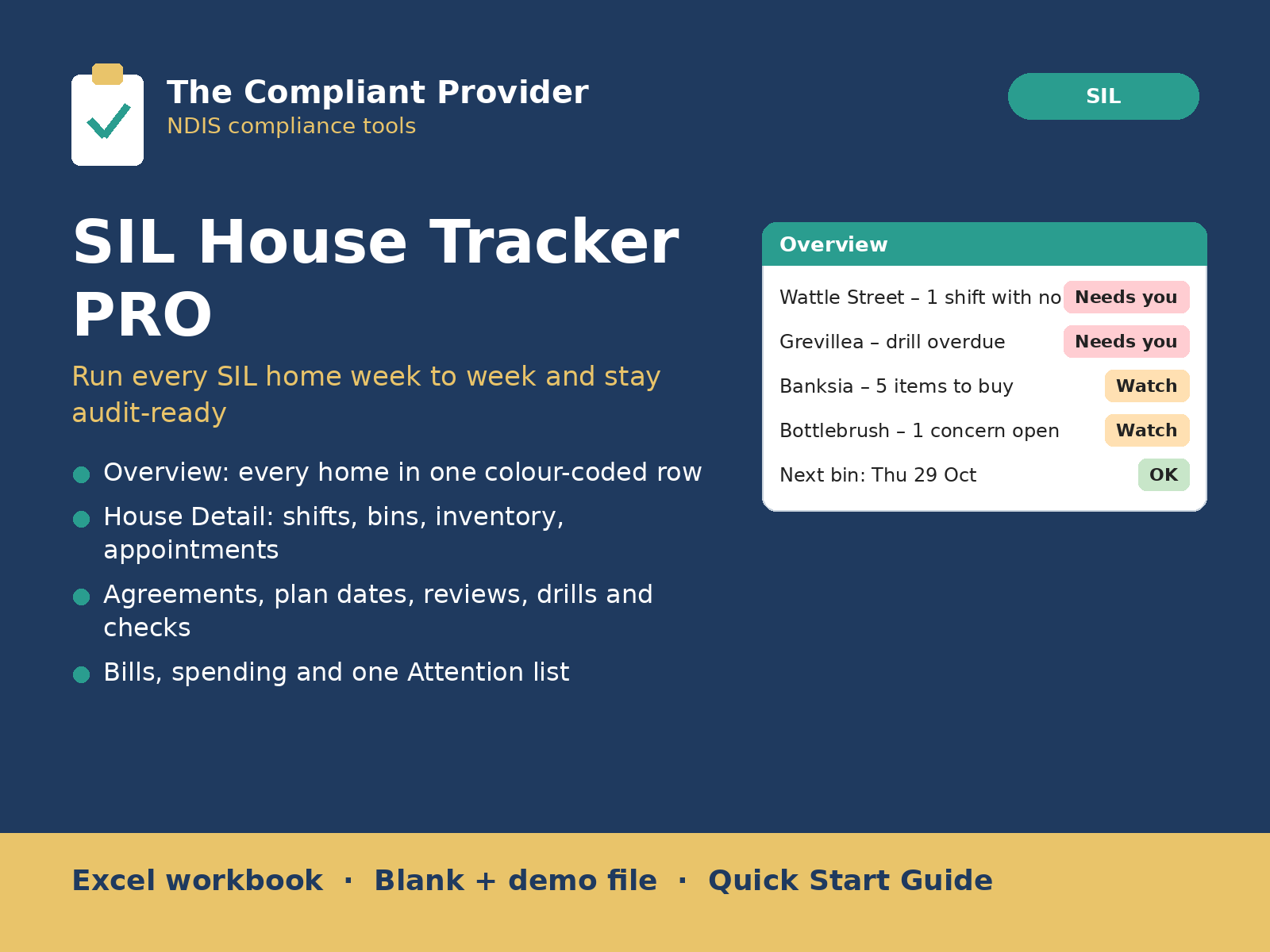
What the workbook does
See it in action
These screens come from the demo workbook, filled with fictional homes, residents and workers.
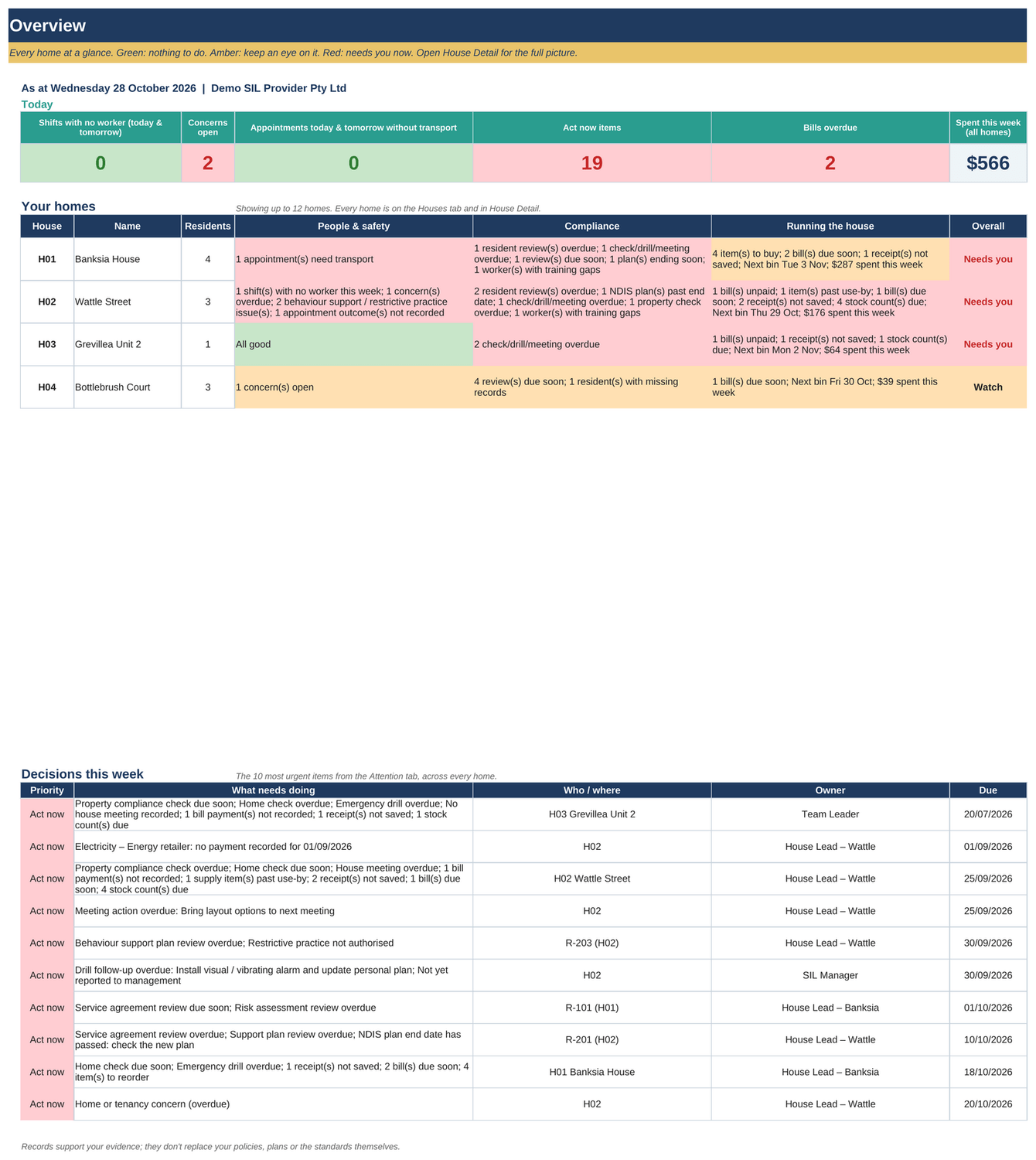
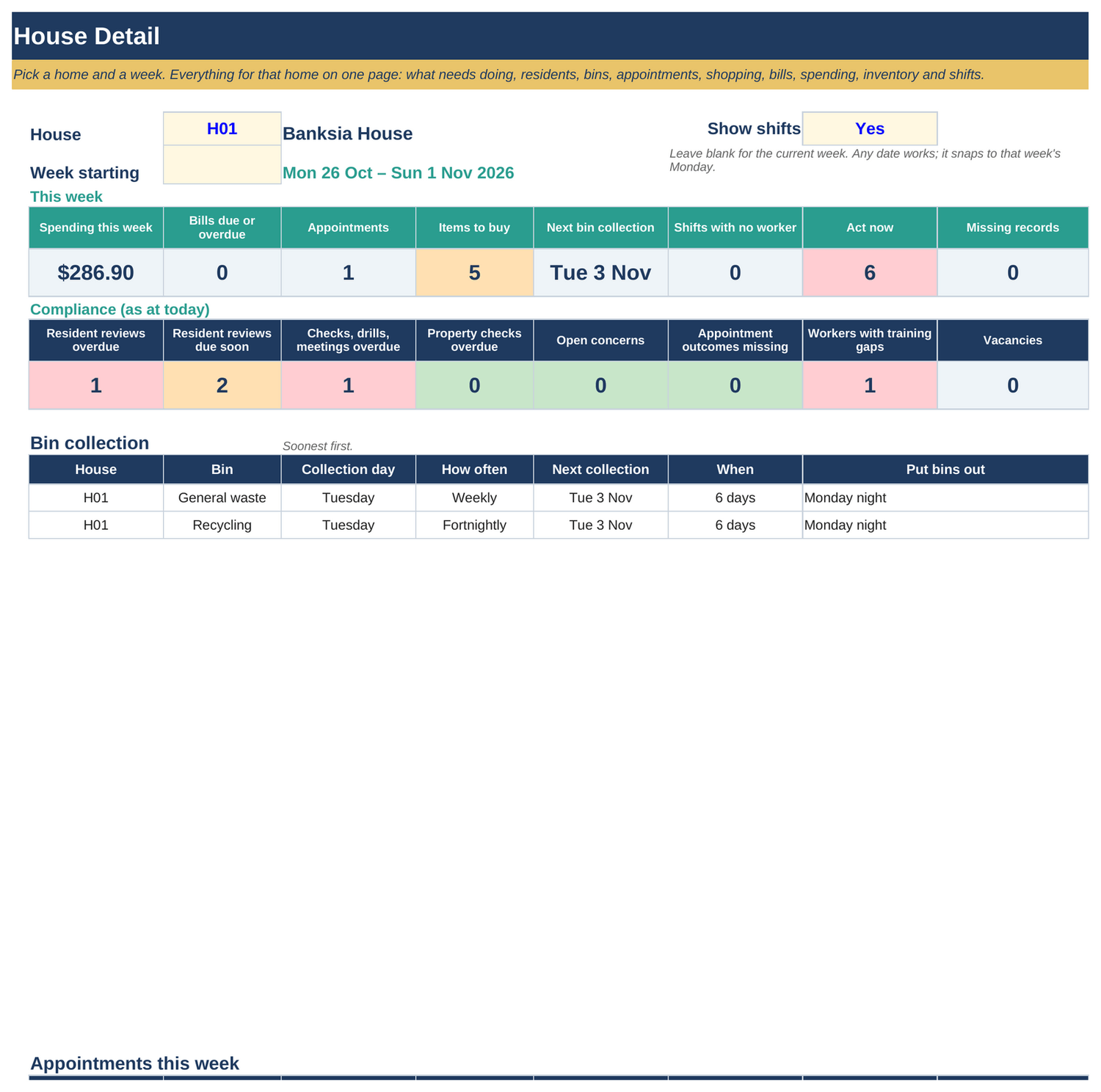
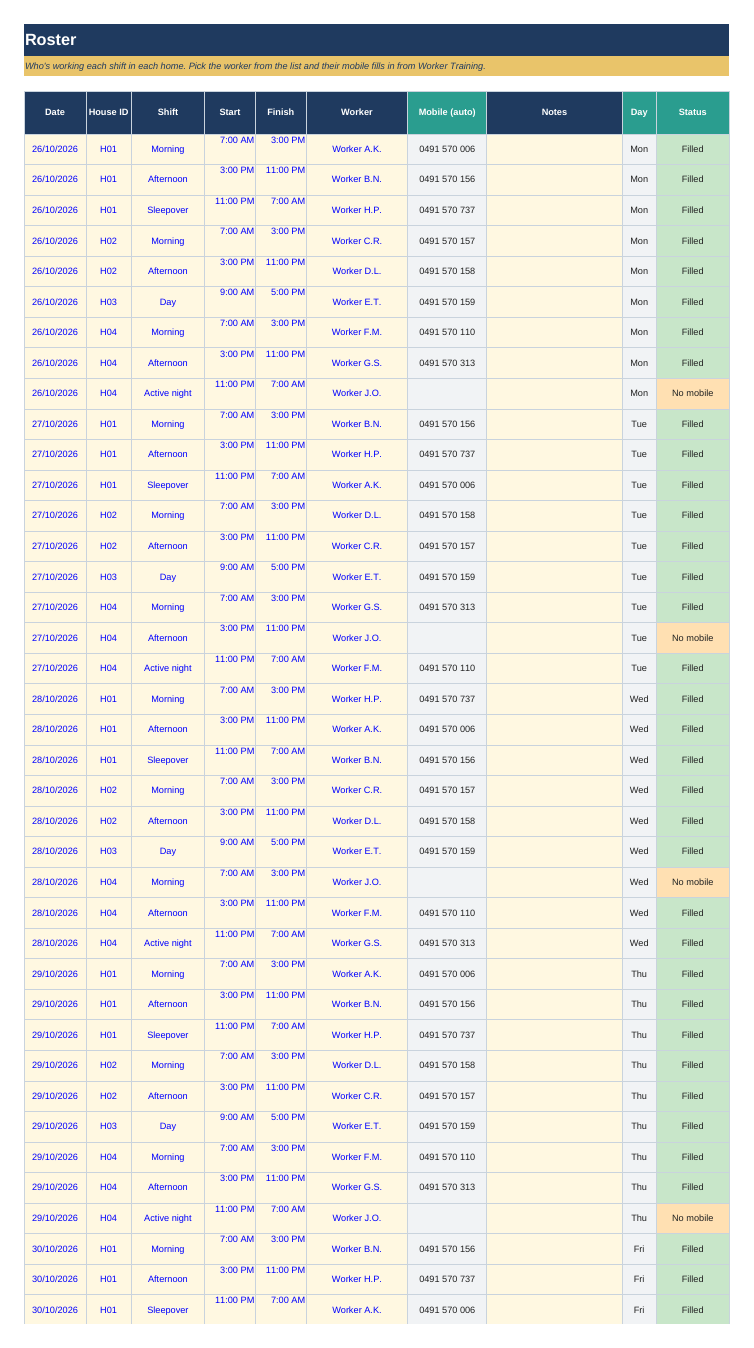
Screens from the demo workbook included in your download. All names and figures are fictional.
What it tracks
Houses and places
Residents and review dates
Service and tenancy agreements
Keys and private space
Behaviour support and restrictive practices
NDIS plan end dates
Appointments, transport and follow-ups
Supported decisions
Concerns and co-resident conflict
Vacancies and matching
Home environment checks
Emergency drills
House meetings
Roster with worker mobiles
Bin collection days
Worker SIL training and competency
Regular bills
House expenses and receipts
Groceries, supplies and inventory
Attention list
Who it’s for
- Registered SIL providers running one to thirty homes
- SIL managers and house leads who want each week on one page
- Providers preparing for an audit against the SIL Practice Standards
- Teams who want this without another software subscription
What it isn’t
It’s a record-keeping tool, not rostering, accounting or clinical software, and not legal advice. It doesn’t replace your policies, each person's plans or the standards themselves. Keep documents in your own systems and record dates and decisions here.
Checking yourself against the standards first? Download the free SIL Practice Standards readiness checklist.
Want to rate yourself against every SIL and Core Module indicator?
The Internal Audit Self-Assessment Tool PRO covers the 27 SIL checks plus 95 Core Module checks, with actions and a management summary. A$49.
From the blog
Written from our own audit preparation work with NDIS providers.
Common questions
What is included in the download?
A blank workbook for your own homes, a demo workbook with four fictional homes so you can see every feature working, and a one-page Quick Start Guide (PDF).
What software do I need?
Microsoft Excel 2019, 2021 or Microsoft 365 on a Windows computer. We have not tested it on Mac. Older Excel versions and other spreadsheet apps may not support every formula.
How many homes does it hold?
30 homes (12 on the Overview screen), 80 residents, 120 workers, 1,000 roster shifts, 600 appointments, 200 regular bills, 1,500 expenses and 600 stock items.
Does it replace my rostering or care software?
No. It pulls the key dates and records into one view so you can see what needs attention. Keep clinical records, incidents and documents in your existing systems.
Is it a subscription?
No. You pay once and keep the file.
Will this guarantee I pass my SIL audit?
No tool can. It keeps your SIL records organised and shows what is overdue or missing, so you can fix it before your auditor asks.
What if the file doesn’t work?
Email support@thecompliantprovider.com. If a file is faulty or not as described, we’ll fix it, replace it or refund you. We don’t give refunds for change of mind.